This post is a departure from my normal beer reviews and exercise analysis. I'm going to start using this blog to post a wider variety of information, and this post has everything to do with technology and video games. Specifically, how to get some older games to work on newer operating systems.
TIE Fighter
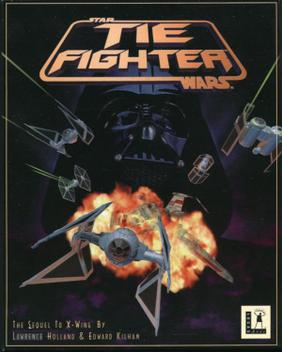
This is widely considered one of the top ten best PC games of all time, and since the advent of the XP/OS X era nary has then been a machine that can run the game. A travesty to be sure.
So here's how to get the game to run on Mac OS X (Leopard). As soon as I upgrade to Snow Leopard, I will update this post. Here it goes:
- You will need to emulate the old operating system, MS-DOS. This can be done thanks to the diligent work by the people at the DOSBox project. Download the program for your current OS here. The current version for OS X is DOSBox 0.73. The dmg file should automatically mount to your desktop. Go ahead and open the little white disk icon, and drag the DOSBox icon to your applications folder.
- You will need a copy of the TIE Figher CD-ROM. I'll assume that if you're reading this, you already have the CD taunting you from your software library. Go ahead and load the CD into your optical drive.
- Now plug in your USB joystick. If you have the old RS-232 pin style joystick it won't work, mostly because modern computers don't have this connectivity anymore. PLUG IN YOUR JOYSTICK BEFORE STARTING DOSBOX
- Ok, now go ahead and start up DOSBox from your applications folder. You should see a small window that looks like this:

- If you know anything about DOS you'll probably start typing in all of your old favorite commands, only to get a cryptic error message asking you to mount C. While this might seem vulgar, what DOSBox is asking you to do is to identify the location on your computer that you'd it to think of as home (C:) Type:
Z:\>mount c /users
Note: This sets your Users folder as the C: directory as far as DOS is concerned. You may set the C: to any directory on your machine. I set it to Users simply because it's a low level directory. - You need to make sure that DOSBox has permission to read, write, and execute files inside your Users folder (or whatever folder you set as C:). Find the folder using the Finder, and right click on it. A contextual menu should appear; choose "Get Info." Scroll to the bottom of the window that appears and set everyone and admin to "Read & Write." If this makes you a little uncomfortable, just be sure to change these setting back to the defaults when you are on any foreign networks.

- Back to the DOSBox window. We need to let DOSBox know where your CD-ROM drive is. Most DOS games, including TIE Fighter, need to grab files from the CD-ROM during game play. Type:
Z:/>mount d /volumes/tiecd -t cdrom
All drives on OS X are located in this "volumes" folder, and the name of your CD is "tiecd" the "-t and cdrom" commands let DOSBox know how it should access the CD-ROM drive during gameplay. - We can now leave the Z drive behind (which doesn't really exist), and begin to install TIE Fighter. Type:
Z:/>d: - Type:
D:\>tie.exeThe installer graphic should show up in the DOSBox window.
Choose "Maximum Install," and follow the directions it gives you. The only choice that won't be obvious will be between express and custom install of your soundcard, choose express. If the installer won't let you pick any of the install options, it means you are not operating from the CD-ROM. Go back to the previous step. - After the installer finishes, click exit. The installer will give you the option to the play the game, go ahead, if you'd like. I'll continue to explain.
- You will still need the CD-ROM in your drive to play, but now you'll play from the C: drive. Type:
D:/>c: - Type:
C:\>cd tiecdThis moves into the folder "tiecd" that was created in your "Users" folder - Type:
C:\TIECD>tieThis starts the game. Enjoy! - Now that you have it set up, you'll need to do only a few of the above to get TIE Fighter running. Everytime you start DOSBox, do the following:
Z:\>mount d /volumes/tiecd -t cdromZ:\>mount c /usersZ:\>c:C:\>cd tiecdC:\TIECD>tie


One last thing. Depending on your joystick model, you may experience very frustrating joystick behavior. Often the calibration doesn't work, or the joystick will seem to send random jerks that you didn't input. You may need to go into the DOSBox configuration file. Open the Finder and click on "Macintosh HD." Enter the "Library" folder, and find the "Preferences" folder. Inside that there will be the "DOSBox 0.73 Preferences" file. Open it. Find the [Joystick] section near the bottom. Set: joystick=2axis, timed=false, autofire: true, swap34=false, buttonwarp=false. You may need to set "joystick" equal to one of the other settings mentioned in the comments directly below the [joystick] heading.


